SnapTik - Download Video TikTok Without Watermark
Fast, free TikTok Downloader in HD quality without watermark
- Clean HD video without logo or watermark
- 100% free unlimited downloads with no sign-up
- Supports HD MP4 video and MP3 audio extraction
- Works directly in any mobile and desktop web browser
How to Download TikTok Video Without Watermark using SnapTik
-
Step 1: Copy the TikTok Video Link
Open TikTok on your phone or browser. Find the video you want, tap Share, and select Copy Link.
-
Step 2: Paste the Link into SnapTik
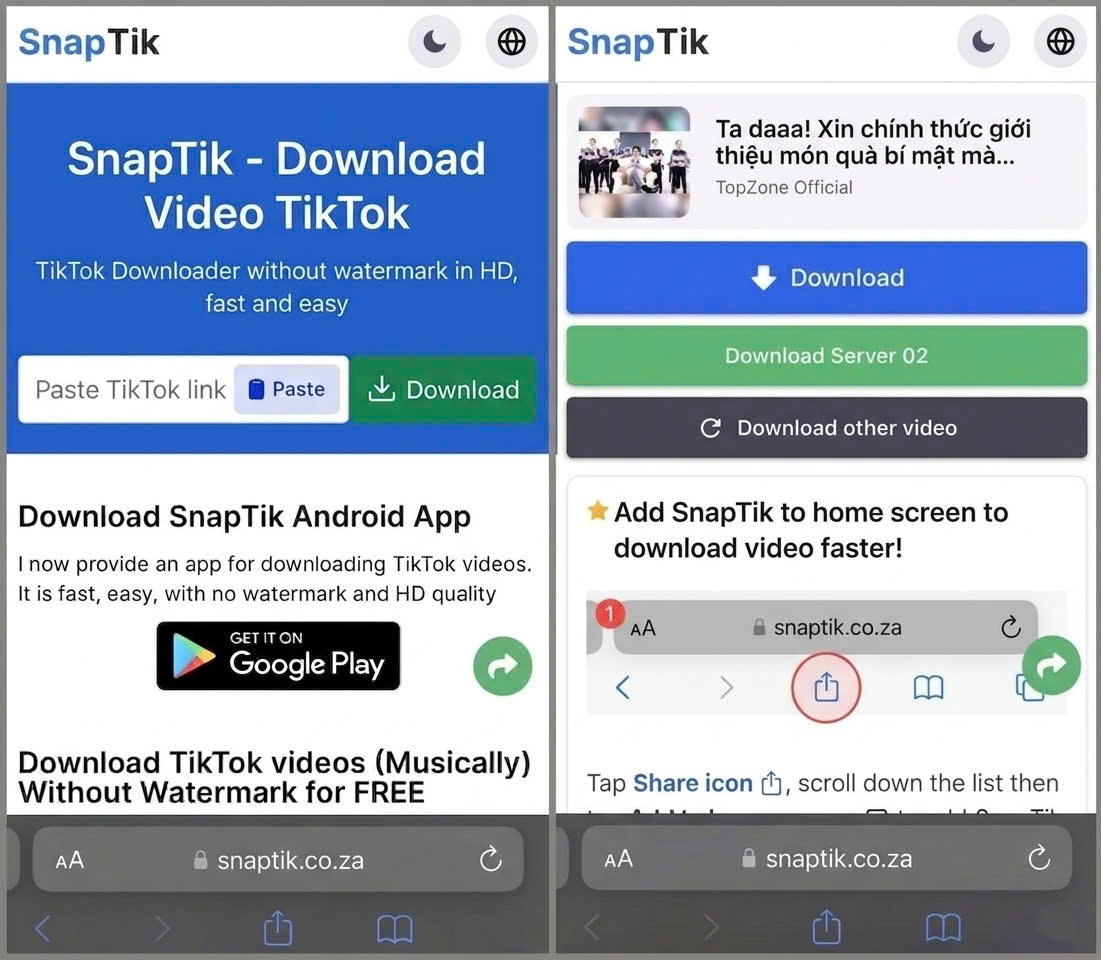
Open SnapTik in any web browser. Paste the copied link directly into the download box.
-
Step 3: Save HD Video to Your Device
Click Download, select HD MP4 or MP3 audio format, and save the file to your device.
TikTok Download Features
No Watermarks
Remove watermarks from TikTok videos for better quality, which most of the tools out there can't
All Devices
Download TikTok videos on any device: mobile, PC, or tablet. No app installation needed
Browser Only
Download videos from TikTok using SnapTik on your Desktop or Mobile web browser. No extension or app needed, everything runs directly online
Always Free
100% free forever. We only show some ads to support our services
Slideshow to MP4
Convert TikTok photo slideshows to MP4 video with merged images and music
HD Quality
Download in the highest resolution available, up to Full HD or higher
SnapTik is a free online tiktok video downloader built to help you save TikTok videos without watermark in HD resolution. You only need to copy a video link and paste it into the box above to get your file in seconds. No account registration or app installation is required.
Many users search for terms like "Snap Tik", "Snap Tiktok", or "snaptik app". SnapTik runs entirely inside your browser on Android, iPhone, Windows, Mac, Linux, and tablets.

How to Download TikTok Video Without Watermark
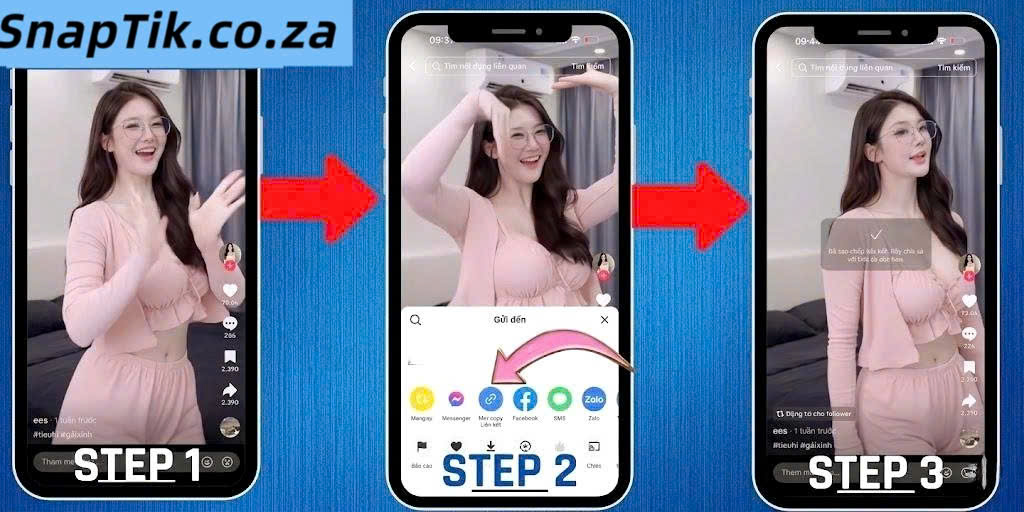
Follow these three straightforward steps to download video tiktok without watermark using SnapTik:
- Step 1: Copy the TikTok Video Link. Open the TikTok app or website. Find your video, press Share, and pick Copy Link.
- Step 2: Paste the Link into SnapTik. Go to your browser, open SnapTik, and paste the URL into the search field.
- Step 3: Process and Save Video. Click Download, pick your preferred MP4 HD or MP3 file, and save it to your device.
Supported Formats: MP4 HD, MP3 Audio, and Photo Slideshows
SnapTik extracts original HD MP4 videos, separates MP3 audio tracks, and saves image slideshows. If you need clean media files for offline viewing or editing, our tool handles it without reducing file resolution.
Why TikTok Watermarks Are Annoying
The standard download option inside TikTok leaves a floating logo and creator username across the video frame. This overlay blocks important visual elements. SnapTik removes the watermark cleanly while keeping the video file untouched.

Runs Directly in Your Web Browser
SnapTik works across Chrome, Safari, Firefox, Edge, and Brave. You can use our tiktok downloader on mobile phones or computers without installing third-party browser extensions. Read our About Us page to learn more about our lightweight design philosophy.
Real Service Limitations
We believe in honest service capabilities. Please note these technical limits:
- Private Videos: SnapTik only processes public TikTok posts. Videos from private accounts cannot be retrieved.
- Deleted Videos: If a creator or TikTok removes a video, our system cannot recover it.
- Source Quality: Output files match original upload quality. SnapTik maintains original HD quality but cannot convert low-res source files to 4K.
Privacy Protection & No Data Storage
Your privacy remains protected while using SnapTik. We do not store downloaded videos on our servers, nor do we track user download histories. Server logs only retain temporary error data during failed requests. Check our Privacy Policy for full details.
Save TikTok Videos Directly to iPhone Photos Library
On iOS (iPhone and iPad), Safari saves downloaded files to the Files app by default. To move videos directly to your Photos library, open the iOS Share Sheet after downloading and tap Save Video. The video will appear in your Photos camera roll immediately.

Please respect original content creators and copyright terms when saving TikTok videos.
Tools Navigation
TikTok MP3 downloader. TikTok Story downloader. Douyin video downloader.
Frequently asked questions
- Open your TikTok application
- Choose the TikTok video that you want to download
- Click Share and select Copy Link
- Your download URL is copied to the clipboard.