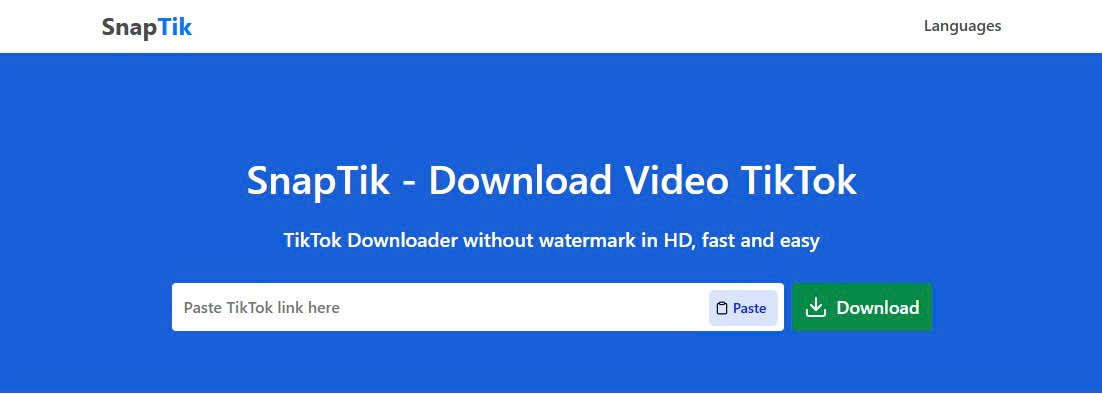
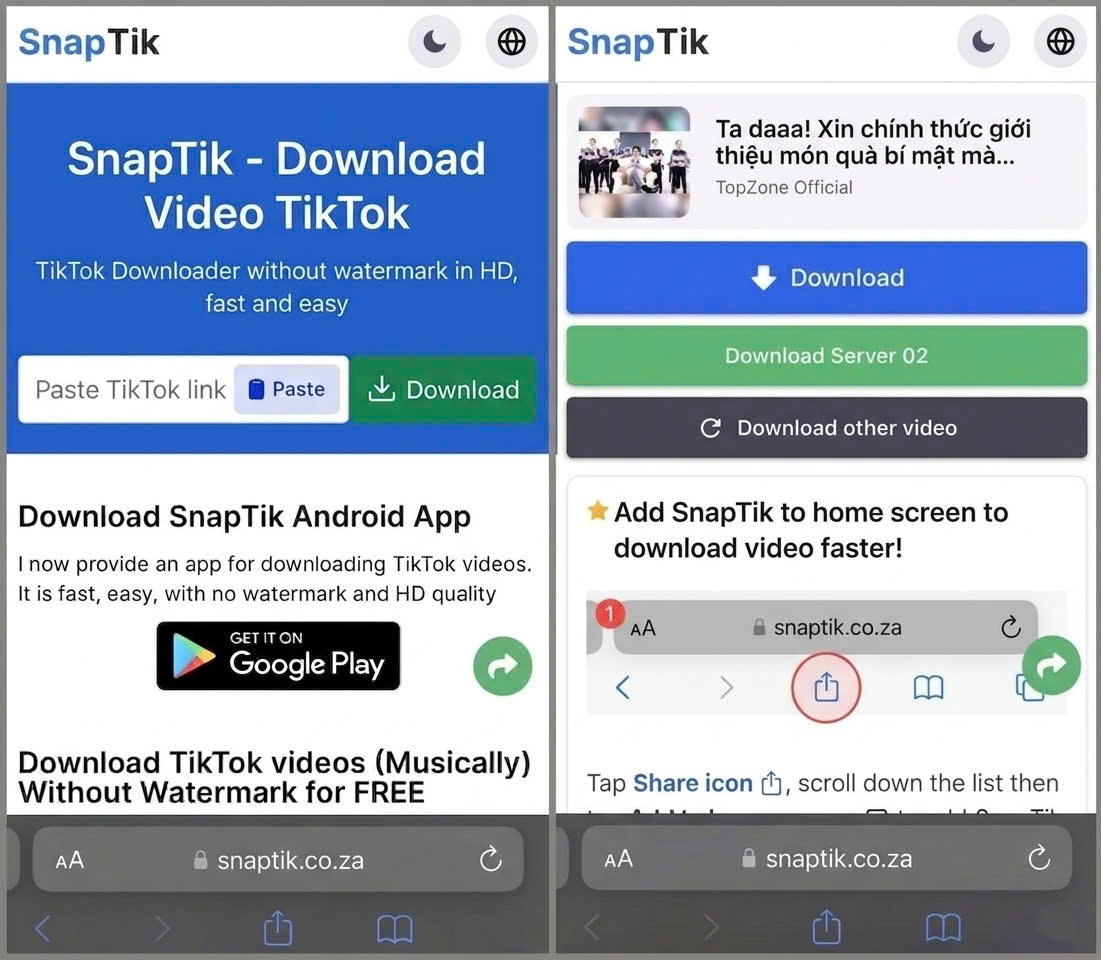
SnapTik - Download Video TikTok
TikTok Downloader without watermark in HD, fast and easy
Downloading TikTok videos may seem simple, but users often run into issues like watermarks, extra apps, or multiple steps.That’s why SnapTik was created - a no-watermark TikTok downloader that lets you download video TikTok directly in your browser, without installation or account required. Just paste the video link, and the system will process it automatically, delivering a clean, watermark-free video in seconds.
What SnapTik Is?
SnapTik is a free online tool that enables users to download TikTok videos in high quality without including the original watermark or logo. It works on both web browsers and mobile devices, allowing users to simply paste a TikTok video link to generate a clean version that can be saved for offline use or shared on other platforms. The tool is commonly used by content creators and social media users who want to reuse or repurpose TikTok content across different channels.

SnapTik is a free online tool that enables users to download TikTok
Why Is SnapTik Such A Best Choice For You?
Nowadays, there are many tools that support downloading video TikTok, but SnapTik stands out thanks to its fast performance, easy to use, and more stable downloading experience compared to many other TikTok downloaders on the market.
- Fast processing speed, allowing you to download TikTok videos in just a few seconds without waiting.
- No watermark, keeping HD quality and providing a clean, professional TikTok video download experience.
- No app installation or account registration required - you can use it directly on any device via your browser.
- Cross-platform support, making it easy to access on both mobile and desktop, suitable for all TikTok video downloader needs.
- Simple and user-friendly interface, allowing even beginners to use the tool with ease.
Thanks to these advantages, SnapTik has become a top choice for users looking for a fast, convenient, and reliable way to download TikTok videos.
How to Download TikTok Video Without Watermark
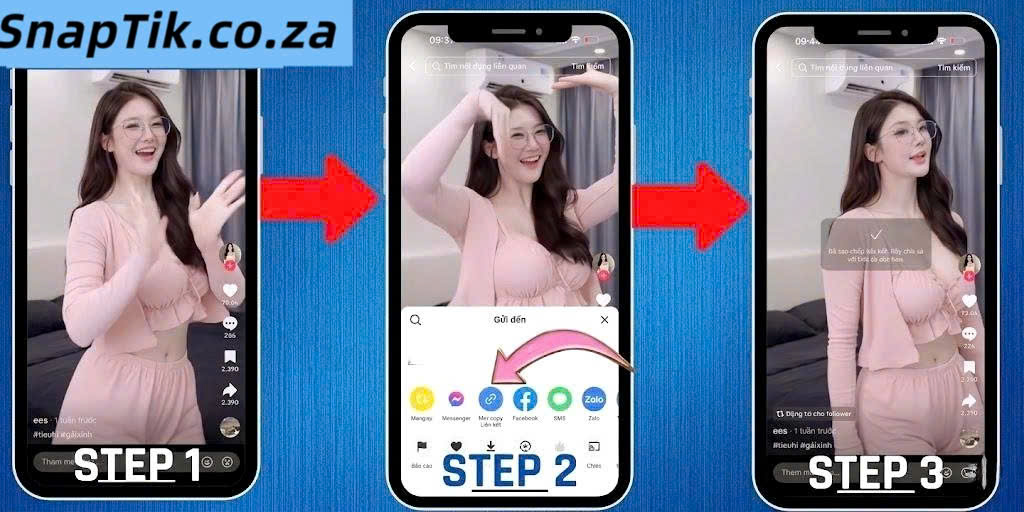
Downloading TikTok videos without watermark using SnapTik is simple, fast, and works directly in your browser without any login or installation. The tool uses a link-based system to quickly retrieve and process videos from TikTok, ensuring high-quality output with an easy workflow. Follow the steps below to get started:

- Step 1: Copy the TikTok Video Link
Open TikTok on the app or website and find the video you want to save. Tap the Share button and select “Copy Link.” The link can be a full URL or a shortened version, both are supported. - Step 2: Paste the Link into SnapTik
Go to SnapTik using any browser and paste the copied link into the input field. The system will automatically recognize the video and prepare it for processing. - Step 3: Process and Download
Click the download button and wait a few seconds. SnapTik will generate download options, allowing you to choose the preferred quality before saving the file to your device.
Key Features and Benefits of SnapTik
SnapTik includes features that make downloading TikTok videos faster, easier, and more reliable. Everything is designed to deliver a smooth experience across different use cases.
Clean Video Output for Multiple Use Cases
SnapTik provides high-quality video files that you can use for content review, presentations, or offline viewing. The output is consistent and easy to manage, making it simple to store and reuse your downloaded TikTok videos whenever you need. It also lets you save TikTok video HD for better viewing across different devices.
Browser-Based Accessibility
As a fully web-based Tiktok downloader without watermark, SnapTik allows users to access its functionality instantly without relying on device-specific installations. This approach simplifies access across different environments, including work devices where software installation may be restricted.
Flexible Usage Without Restrictions
SnapTik supports continuous usage without requiring subscriptions or usage quotas. This makes it a practical solution for users who need to download multiple TikTok videos regularly as part of their workflow or research activities.
Responsive Experience Across Devices
The platform is optimized for responsiveness, ensuring stable performance across different screen sizes and operating systems. Whether accessed on mobile or desktop, users can maintain a consistent workflow without interruptions.
Optimized Processing System
SnapTik uses a streamlined processing approach to handle video extraction efficiently. This helps maintain stable performance even during repeated or high-frequency download requests, supporting productivity-focused use cases. The system also allows users to download TikTok MP4 files for easier storage and sharing.
Data Handling and User Privacy
The platform is structured to minimize user interaction with personal data. By avoiding account-based access and limiting data retention during processing, SnapTik provides a more controlled and privacy-conscious environment for users.
Supported Devices and Platformsa
SnapTik is designed to work smoothly across all modern devices, making it easy for users to download TikTok video anytime, anywhere. As a flexible online TikTok video downloader, the tool allows users to access and download content directly from their browser without installing any app.
Android Devices
SnapTik works perfectly on Android smartphones and tablets. Users can simply open any browser such as Chrome or Firefox, access the website, paste the TikTok link, and download videos directly to their device. The files are usually saved in the Downloads folder or Gallery for easy access.
iPhone and iOS Devices
For iPhone and iPad users, SnapTik also offers a seamless experience. By using Safari or other mobile browsers, users can download TikTok video directly and save them to the Files app or Photos gallery. No third-party application is required.
Desktop and Laptop
SnapTik is fully compatible with Windows, macOS, and Linux computers. Users can easily copy a TikTok video link, paste it into the website, and download videos in HD quality directly to their device. This is especially useful for content creators and editors who need to store or reuse video content.

SnapTik is designed to work smoothly across all modern devices
Common Errors When Using SnapTik and How to Fix Them
Even though SnapTik is a stable TikTok downloader, users may sometimes encounter minor issues during the download process. Most of these problems are simple and can be fixed quickly without technical knowledge. Below are the most common errors and how to solve them
Invalid or Broken TikTok Link
This error usually happens when the copied TikTok URL is incorrect, incomplete, or from a private video. When this occurs, SnapTik cannot process the download request.
To fix it, make sure you copy the correct link directly from the TikTok “Share” button. Also, check that the video is public and accessible before pasting it into the TikTok downloader.
Video Not Loading or Processing
Sometimes the video may not load due to temporary server issues or unstable internet connection. This can cause delays in generating the download link.
The solution is to refresh the page, check your internet connection, or try again after a few seconds. In most cases, the issue resolves quickly and you can continue downloading TikTok videos normally.
Download Button Not Working
In some cases, the download button may not respond after processing the video. This can happen due to browser cache or temporary glitches.
To fix this, try clearing your browser cache, switching to another browser, or reloading the SnapTik page. These simple steps usually restore the TikTok video download function immediately.
Video Quality Not Displaying Properly
Occasionally, HD options may not appear if the original TikTok video has limited resolution or the processing is incomplete.
In this case, try reloading the page or pasting the link again. SnapTik will reprocess the video and display available quality options for download.
User Experiences With SnapTik
We value the feedback shared by users from different parts of the world who rely on SnapTik for their daily download TikTok video needs. Their experiences show how the tool helps simplify content saving and improve workflow efficiency, especially when users need to quickly download TikTok video without unnecessary steps. Below are some comments from our users.
"Before using SnapTik, I had to rely on multiple steps just to save TikTok clips, which was time-consuming. Now I can quickly download video TikTok in a clean format without extra editing work afterward." - Ryan P., Video Editor
"I like saving short videos to watch later when I’m offline. SnapTik makes it very easy to download TikTok video directly from my browser without any hassle." - Megan L., Casual Viewer
"As someone who works with social media content daily, having a tool that lets me download TikTok videos without watermark is extremely useful for organizing references and inspiration." - Daniel K., Social Media Manager
"The biggest advantage for me is simplicity. I just paste a link and instantly download video TikTok without installing anything or dealing with complicated apps." - Brian T., Digital Creator
"What I love most is that I don’t need to install anything. I just paste the link and instantly download video TikTok directly from my browser. It’s fast, simple, and reliable." - Chris D., Tech Enthusiast
Tips for Using a TikTok Downloader to Download Video TikTok Quickly and Efficiently
To download TikTok videos using SnapTik faster, more smoothly, and with fewer errors, users can apply a few simple tips below. These methods not only improve download speed but also help maintain the best possible video quality.
- Always copy the correct TikTok video link from the “Share” button to avoid broken or invalid URLs. Using the exact link helps SnapTik process the video faster and reduces download failures.
- Use a stable and strong internet connection during the download process to ensure smooth video processing and avoid interruptions or loading issues.
- Prioritize HD quality when available so the downloaded video remains sharp and clear, making it suitable for rewatching or content reuse.
- Refresh the page or try again if you encounter download errors, such as missing download buttons or videos not being processed. This simple step often fixes common issues.
- Avoid downloading private or restricted videos because SnapTik may not support processing content with privacy limitations.
- Keep your browser updated regularly to ensure full compatibility with SnapTik, reduce technical errors, and improve overall performance.
Following these tips will help you use SnapTik more effectively, download videos faster, and minimize common issues when saving TikTok content.
Conclusion
SnapTik is a fast and convenient TikTok downloader that helps you download video TikTok without watermark while maintaining high quality. With its simple interface and online-based operation, users can access a reliable Tiktok video Downloader without watermark anytime without installing any app. By applying the steps and tips in this article, you can download TikTok videos faster, more efficiently, and with better quality for both personal use and content creation. If you are looking for an easy way to save TikTok videos, try SnapTik today and experience fast downloads, no watermark, and a completely free service
- Open your TikTok application
- Choose the TikTok video that you want to download
- Click Share and at the Share options, find Copy Link button
- Your download URL is ready on the clipboard.
- Open Tik Tok app on your phone/or Web on your browser.
- Choose whatever video you want to download.
- Click to the Share button at the right bottom.
- Click the Copy Link button.
- Download by using your browsers: I want to keep things simple for you. No need to download or install any software.
- Go back to SnapTik and paste your download link to the field above then click to the Download button.
- Wait for our server to do its job and then, save the video to your device.
Yes, SnapTik is safe to use because it does not require login, does not store videos, and does not track download history. All processing is temporary and handled securely.
No, you do not need to install any app. SnapTik is a browser-based TikTok downloader that works directly online without requiring software or extensions.
People use TikTok downloader tools because they allow users to download TikTok video without watermark, access HD quality, and save videos for offline use more flexibly than the built-in option.
Downloaded TikTok videos are usually saved in the Downloads folder on desktop or in the Gallery or Files app on mobile devices, depending on your browser settings.
TikTok video download may fail if the link is incorrect, the video is private or deleted, or your internet connection is unstable. Checking the link and retrying usually resolves the issue.
Yes, you can download TikTok video on both iPhone and Android devices using SnapTik through a web browser without installing any additional apps.
No, SnapTik does not store or keep copies of videos. The tool only processes the link and retrieves the video from TikTok servers temporarily.
Downloading TikTok videos for personal use is generally allowed, but using them for commercial purposes or reposting may require permission from the original creator.