
TikTok is full of eye-catching photo slides, from aesthetic dumps to viral storytelling content - but saving them cleanly isn’t always easy. Most downloads come with distracting watermarks or reduced quality, making them less ideal for reuse or inspiration. This guide shows you a smarter way to download TikTok photos without watermark - fast, simple, and without installing any apps. Whether you’re a casual user or a content creator, you’ll be able to save clean, high-quality images in just a few seconds.
Why Download TikTok Photos Without Watermark?
TikTok is full of creative images, from aesthetic slideshows to viral trends. However, when downloading directly from the TikTok app, most photos come with watermarks, which reduce their visual appeal and make them harder to reuse.
Downloading TikTok photos without watermark offers several clear benefits:
-
Clean and professional images - No logos or usernames covering the layout, making posts or portfolios look neat and professional.
-
Easy to reuse - Clean images can be used for multiple purposes: stories, moodboards, designs, or video edits without any extra editing.
-
High quality - Maintains original sharpness and colors, avoiding blurriness or pixelation that often happens with screenshots.
-
Time-saving - No need to crop or remove watermarks; download and use instantly.
-
Preserve the original vibe - Keeps the mood, colors, and emotions intended by the content creator intact.
In many cases, users opt for screenshots to save images quickly. However, this method reduces quality and often includes icons like likes, comments, and shares, making the photo no longer clean to use.
Whether you just want to save beautiful images for reference or use them for creative content, downloading photos without watermark helps you save time, improve quality, and optimize your experience.
Step-by-Step Guide to Download TikTok Photos Without Watermark
Downloading photos from TikTok is simple, but to remove the watermark completely, you need to follow the right steps and use the right tools. Here’s a step-by-step guide:
-
Step 1: Open TikTok and choose the post - Go to TikTok and find the post that contains the photo slides you want to download.
-
Step 2: Copy the link - Tap the Share button on the right side of the screen, then select Copy Link to get the post URL.
-
Step 3: Access a supported downloader - Open your browser and visit a website that supports downloading TikTok photos. Keep in mind that not all tools support photo slides or remove watermarks.
-
Step 4: Paste the link and process - Paste the copied link into the input box. The system will analyze the content and display available files for download.
-
Step 5: Download the photos - Select the images you want and click Download. Within seconds, the photos will be saved to your device. Make sure to check if they are watermark-free and in good quality.
Important note: Not all tools support downloading TikTok photos without watermark. Some only work with videos or may still include the logo on images, so you might need to try a few different tools to find the best option. By following these steps, you can increase your chances of getting clean, high-quality images and avoid relying on screenshots, which often reduce quality and include unwanted icons.
To make the process easier, here are some popular tools you can use to download TikTok photos without watermark
Best Tools to Download TikTok Photos Without Watermark
After copying the TikTok link, using the right tool is the key to getting clean, watermark-free photos. Below are some popular tools that many users rely on for fast and high-quality downloads.
1. SnapTik
SnapTik is one of the most popular tools for downloading TikTok content quickly and efficiently. Thanks to its simple interface and fast processing speed, it has become a go-to option for users who want to save TikTok photos and videos without dealing with complicated steps. Whether you’re using a phone or a computer, SnapTik makes the process smooth and accessible for beginners.
Pros:
-
Fast and easy to use, even for first-time users
-
Works seamlessly on both mobile and desktop browsers
-
No app installation or account registration required
-
Supports high-quality downloads in most cases
Cons:
-
May not fully support TikTok photo slides in some cases
-
Ads can occasionally interrupt the user experience
-
Results may vary depending on the content type
How to use:
-
Copy the TikTok post link from the app
-
Open the SnapTik website on your browser
-
Paste the link into the input box provided
-
Click Download and wait for the system to process
-
Choose the file you want and save it to your device
Overall, SnapTik is a reliable and beginner-friendly tool for quick downloads. While it may not always handle photo slides perfectly, it’s still a solid option for most basic TikTok downloading needs.
SnapTik Tool is one of the most popular tools for downloading TikTok content quickly and efficiently
2. SSSTik
SSSTik is a well-known TikTok downloader that works directly in your browser without requiring any installation or login. It’s especially popular among users who prefer a clean, simple experience and want to download content quickly without extra steps. The tool is designed to be beginner-friendly while still delivering stable performance.
Pros:
-
Clean and user-friendly interface
-
No account or app installation required
-
Works well on both mobile and desktop
-
Quick access with minimal steps
Cons:
-
May not fully support TikTok photo slides in some cases
-
Download speed can vary depending on traffic
-
Some versions may include ads
How to use:
-
Copy the TikTok post link
-
Open the SSSTik website in your browser
-
Paste the link into the search bar
-
Click Download and wait for processing
-
Choose your file and save it to your device
SSSTik is a simple and lightweight option for quick downloads, especially suitable for users who want a no-login and easy-to-use tool.
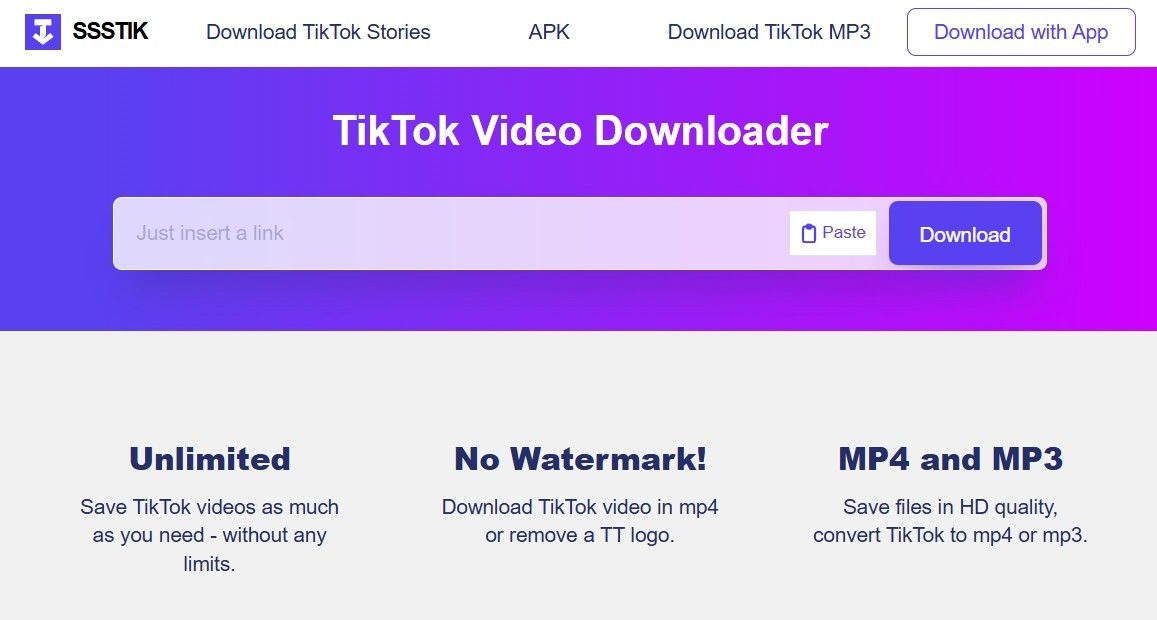
SSSTik is a well-known TikTok downloader that works directly in your browser without requiring any installation or login
3. TikMate
TikMate is a reliable TikTok downloader known for its stable performance and consistent results. While it may not have the most modern interface, it works effectively in many cases where other tools fail, making it a useful backup option for users who want uninterrupted downloads.
Pros:
-
Stable and reliable performance
-
Supports high-quality downloads
-
Works on both mobile and desktop
-
Useful when other tools don’t work
Cons:
-
Interface is less modern compared to other tools
-
May redirect to external pages during use
-
Limited support for certain TikTok formats
How to use:
-
Copy the TikTok post link
-
Visit the TikMate website
-
Paste the link into the input field
-
Click Download and wait for processing
-
Choose your file and save it to your device
Overall, TikMate is a solid backup tool that you can rely on when other downloaders don’t deliver the expected results.
4. SaveTT
SaveTT provides a quick and convenient way to download TikTok content directly from your browser. The interface stays simple, helping users complete the process without extra steps or technical knowledge.
Pros:
-
Simple and easy-to-use interface
-
No installation required
-
Works on multiple devices
-
Fast processing in most cases
Cons:
-
May not always support photo slides
-
Ads can appear during use
-
Output quality may vary
How to use:
-
Copy the TikTok post link
-
Open the SaveTT website
-
Paste the link into the input box
-
Click Download and wait for processing
-
Select your file and save it to your device
A flexible option when you need an extra tool for quick and convenient downloads.
5. MusicallyDown
MusicallyDown has been widely used for downloading TikTok content thanks to its stable performance and straightforward process. The tool focuses on simplicity, making it suitable for users who prefer a no-frills experience.
Pros:
-
Stable and consistent performance
-
Supports watermark-free downloads in many cases
-
Works on both mobile and desktop
-
Easy-to-follow steps
Cons:
-
Interface feels outdated
-
May not fully support newer TikTok formats
-
Limited advanced features
How to use:
-
Copy the TikTok link
-
Visit the MusicallyDown website
-
Paste the link into the search field
-
Click Download and wait for processing
-
Save the file to your device
A dependable choice when you prioritize stability over advanced features.

MusicallyDown Tool has been widely used for downloading TikTok content thanks to its stable performance and straightforward process
Tips to Download TikTok Photos Without Watermark
To get the best results when downloading TikTok photos, keep these quick tips in mind:
-
Use reliable tools – Not all downloaders support photo slides or remove watermarks properly.
-
Check image quality before saving – Always preview to avoid blurry or low-resolution files.
-
Avoid screenshots – They reduce quality and often include unwanted icons.
-
Try multiple tools if needed – Results can vary depending on the content and platform.
A few small adjustments can make a big difference in getting clean, high-quality TikTok photos every time.
Conclusion
Downloading TikTok photos without watermark may sound tricky at first, but once you know the right steps, it only takes a few seconds. Instead of relying on screenshots that lower quality and add unwanted icons, using the right method lets you save clean, high-quality images instantly. Whether you’re collecting inspiration or creating content, watermark-free photos make your posts look polished and professional. Try different tools and steps to find what works best for your needs. Start downloading today and enjoy a faster, cleaner way to save TikTok photos without watermark