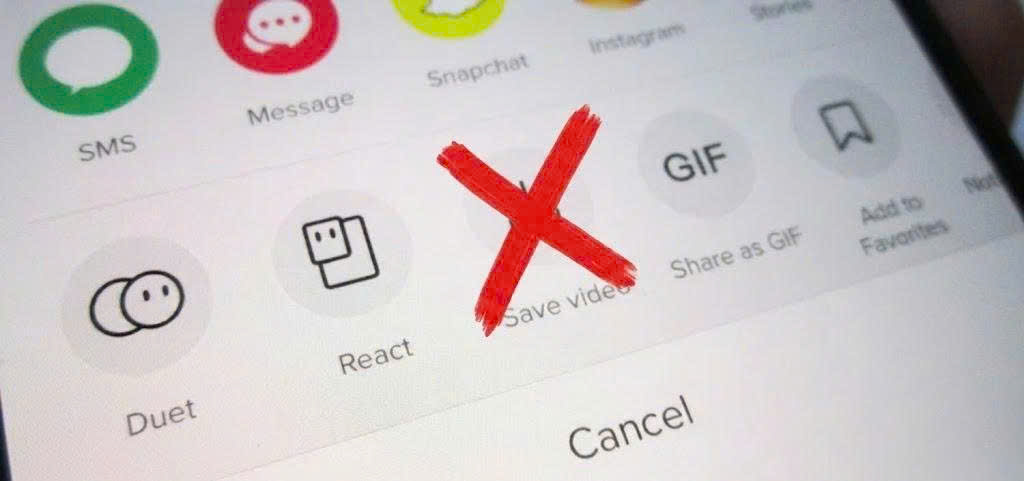
Sometimes you’re scrolling through TikTok and come across a video you really want to save, maybe a useful tip, a funny moment, or something you just want to watch again later. But when you try to download it, you realize there is no Save Video button. Many people think the video can’t be downloaded, but that’s not true. With just a few simple steps, you can still save TikTok videos to your device without installing any complicated apps. In this guide, you’ll learn the easiest methods that work on both mobile phones and computers.
Why Doesn’t TikTok Show the Save Video Button?
You come across an amazing TikTok video, but there’s no Save Video button in sight? Many people immediately assume the app is broken or their phone has an issue. But in reality, this is completely normal and it’s actually designed that way.
The key thing to understand is: not every TikTok video is allowed to be downloaded. Whether the save button appears or not depends on several factors, especially the settings chosen by the video creator.
Here are the most common reasons:
-
The creator has disabled downloads: TikTok allows users to turn the download option on or off. If it’s turned off, the save button simply won’t appear.
-
The video is from a private or restricted account: Some content is only visible to a limited audience, so downloading is not allowed.
-
Temporary app or account glitches: In some cases, minor bugs may cause the save button to disappear, but this is not very common.
-
Unstable internet connection: If your connection is weak, certain features (including the save button) may not load properly.

If your connection is weak, certain features (including the save button) may not load properly.
The important takeaway is: just because there’s no save button doesn’t mean you can’t download the video. There are still simple ways to save TikTok videos in just a few steps and that’s exactly what you’ll discover in the next section.
How to Save TikTok Videos Without the Save Button
Now that you know the missing save button isn’t a bug, the next question is: Can you still download the video? The answer is yes - and it’s easier than you think.
No matter what device you’re using, the process always starts with one simple step: copying the video link. From there, you can use online tools to download the video without needing the built-in save button.
You can use online tools to download the video without needing the built-in save button.
One of the most popular and easy-to-use tools is SnapTik - just paste the link and download instantly. It even supports downloading videos without a watermark.
Below is how to do it on each device:
On Android
Saving TikTok videos on Android is simple and doesn’t require installing any extra apps. You just need to copy the video link and use an online downloader like SnapTik.
Here’s how to do it:
-
Open TikTok and find the video you want to download
-
Tap the Share icon on the right side of the screen
-
Select Copy Link
-
Open your browser and go to SnapTik
-
Paste the copied link into the input box
-
Tap Download and choose your preferred option
Once completed, the video will be saved directly to your device gallery.
On iPhone
If you’re using an iPhone, you can still download TikTok videos easily without installing any complicated apps. Everything can be done directly through your browser.
Follow these steps:
- Step 1: Open TikTok and choose the video you want to save
- Step 2: Tap Share - Copy Link

- Step 3: Open Safari and access SnapTik
- Step 4: Paste the link into the download box
- Step 5: Tap Download and select a version
- Step 6: Save the video to your Photos app
This method is fast, simple, and works on most iOS devices.
On PC or Laptop
Downloading TikTok videos on a computer is even more straightforward since you only need a browser and a link.
Here’s what to do:
-
Go to TikTok and copy the video link
-
Open your browser and visit SnapTik
-
Paste the link into the search box
-
Click Download and choose your preferred format
-
Save the file to your computer
No software installation is required - just a few clicks and your video is ready.
Mistakes That Make Video Downloads Fail
Have you tried multiple ways but still can’t download TikTok videos? You might be making one of these common mistakes:
-
Only looking for the Save Video button instead of using the link: Many people assume that if there’s no save button, the video can’t be downloaded - when in fact, copying the link is enough.
-
Copying the wrong or incomplete link: You might accidentally copy a profile link or a broken URL, which prevents download tools from recognizing the video.
-
Unstable internet connection: A weak or inconsistent connection can interrupt or fail the download process.
-
Choosing the wrong format or download server: Some websites offer multiple download options. Picking the wrong one may cause the download to fail.
-
The video has privacy restrictions: Videos from private or restricted accounts may not be available for download, even if you have the link.
-
Insufficient device storage: If your device is low on storage, the video won’t be saved even if the download process is completed.
Note: Avoiding these common mistakes can significantly increase your success rate when downloading TikTok videos.
Important Notes When Downloading TikTok Videos
Downloading TikTok videos without the save button is simple, but to ensure safety and avoid potential issues, here are some important things you should keep in mind:
-
Avoid reuploading downloaded videos without permission: Reposting someone else’s content may violate copyright or TikTok’s policies.
-
Check usage rights before using the content: If you plan to reuse the video, make sure you have permission from the original creator.
-
Use trusted video download tools: Only use reliable websites to avoid viruses, malicious ads, or data leaks. One of the most popular tools is SnapTik, which allows you to download TikTok videos quickly without logging in or installing any apps.
-
Do not log into your TikTok account on unknown websites: Some sites may ask for login access, which can pose security risks.
-
Choose the appropriate video quality when downloading: Select HD quality when possible to ensure the video remains clear and not pixelated.
-
Check your device storage before downloading: Make sure your phone or computer has enough space to save the video.
Tip: By following these notes, you can download TikTok videos safely, quickly, and with minimal errors.
Conclusion
Not being able to find the save button on TikTok doesn’t mean the video can’t be downloaded. As long as you have the video link, there are still simple ways to save it to your device in just a few steps. More importantly, understanding how TikTok’s download settings work and avoiding common mistakes will help you download videos more smoothly and efficiently. At the same time, don’t forget to follow basic safety practices and respect content ownership when using downloaded videos. With the right approach, you can easily save your favorite TikTok videos anytime - quickly, safely, and without unnecessary hassle.