Are you struggling to post TikTok videos longer than 3 minutes? With TikTok constantly updating its video length limits, understanding how to properly upload and optimize long-form content has become more important than ever. This article will show you simple yet effective secrets to successfully posting TikTok videos longer than 3 minutes in 2026, helping you share your full content and attract more views with ease.
TikTok Video Length Limit in 2026 and What You Need to Know
As of 2026, TikTok has significantly expanded its video length limits for users. Most accounts can now upload videos of up to 10 minutes, while selected accounts or those in testing programs may be able to post videos up to 30 minutes long.
However, not all users have access to this feature. The inability to post videos longer than 3 minutes usually comes from several factors, mainly related to account eligibility and TikTok’s gradual feature rollout system.
-
Outdated TikTok app version, meaning you haven’t received the latest feature update
-
New or low-trust accounts that have not been granted access to long video features
-
Accounts that previously violated Community Guidelines, affecting feature eligibility
-
Not included in TikTok’s staged rollout (feature released gradually by region/account)
-
Low or inconsistent engagement activity (rare posting, limited interactions)
-
App or device cache issues causing features not to display correctly
Overall, TikTok does not release long video features to all users at the same time but instead rolls them out gradually. That’s why not seeing the long-video option is very common, especially for new or less active accounts.
5 Proven Ways to Upload Longer Videos on TikTok
To successfully upload TikTok videos longer than 3 minutes, it’s not just about meeting the account requirements - you also need to use the right uploading methods. Below are 5 effective ways to help you post long TikTok videos smoothly and successfully in 2026.
Method 1: Upload Directly from Your Phone
This is the easiest way to post TikTok videos longer than 3 minutes once your account has access to the feature. Just follow these steps:
-
Step 1: Open the TikTok app on your phone
-
Step 2: Tap the + icon in the center of the screen
-
Step 3: Select Upload and choose a video from your gallery
-
Step 4: Check the video length (you can upload videos longer than 3 minutes if eligible)
-
Step 5: Edit your video (add music, effects, or text if needed)
-
Step 6: Tap Next, then add a caption and hashtags
-
Step 7: Tap Post to publish your video
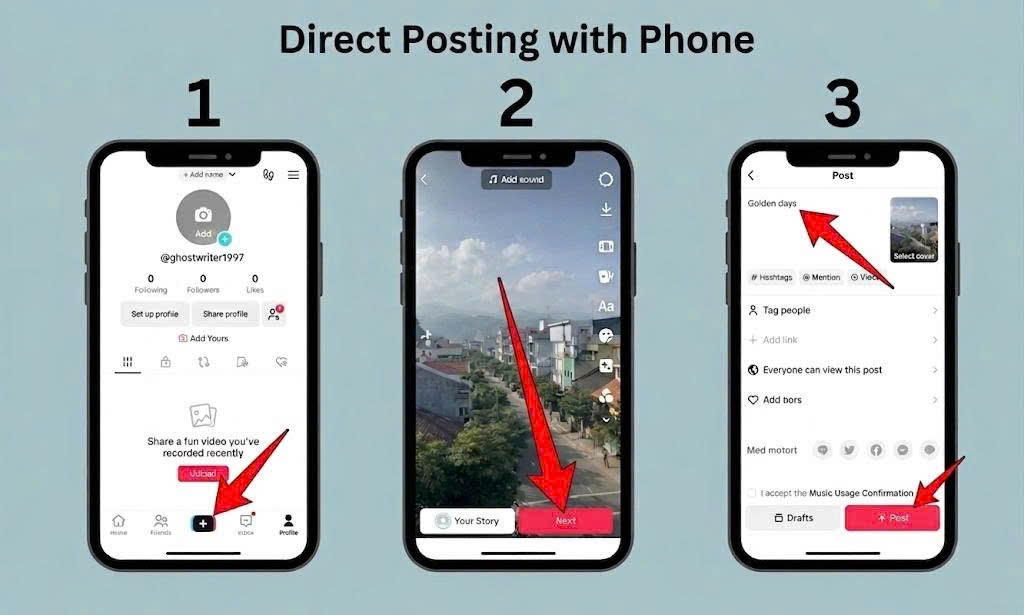
Upload Directly from Your Phone - This is the easiest way to post TikTok videos longer than 3 minutes
Method 2: Upload TikTok Videos Using a Computer
Uploading videos via a computer is a great option if you want better stability and higher video quality, especially for longer videos.
-
Step 1: Go to the TikTok website on your browser and log into your account
-
Step 2: Click on the Upload button (cloud icon with an arrow)
-
Step 3: Drag and drop your video file or click Select file to upload
-
Step 4: Wait for the video to process and check if the full length is supported
-
Step 5: Add caption, hashtags, and choose a thumbnail (cover)
-
Step 6: Set privacy options (Public, Friends, or Private)
-
Step 7: Click Post to publish your video
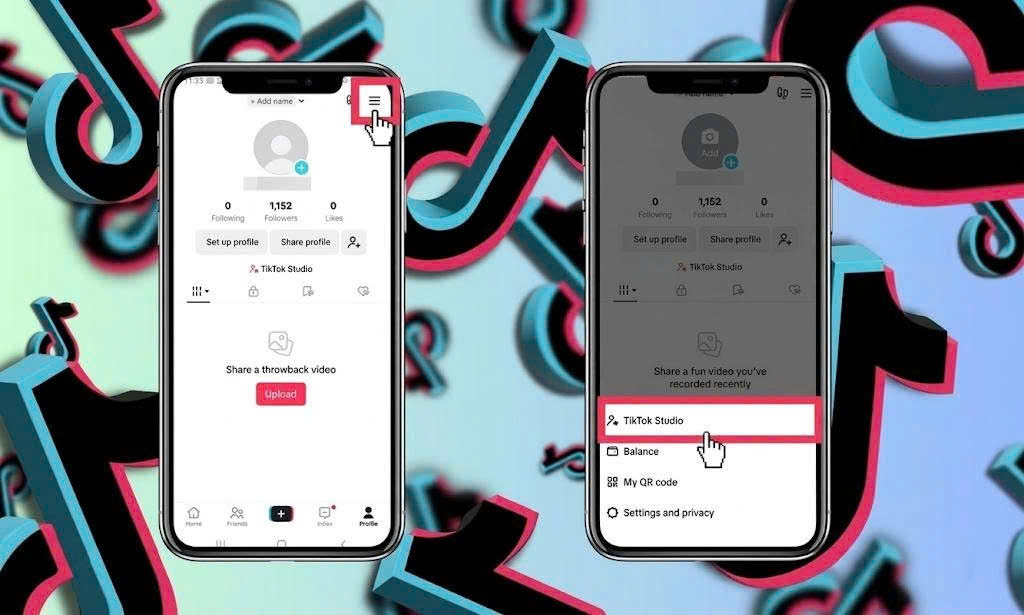
Method 3: Use TikTok Studio for Advanced Uploading
TikTok Studio is a powerful tool designed for creators who want more control over their content and performance. It allows you to upload long videos, manage posts, and track analytics more effectively.
-
Step 1: Access TikTok Studio via the TikTok app or website and log into your account
-
Step 2: Navigate to the content management or upload section
-
Step 3: Select your video file from your device
-
Step 4: Wait for the video to upload and finish processing
-
Step 5: Add caption, hashtags, and optimize video details
-
Step 6: Choose scheduling options if you want to post later
-
Step 7: Click Post or Schedule to publish your video
TikTok Studio is a powerful tool designed for creators who want more control over their content and performance
Method 4: Split Your Video into Multiple Parts
If your account does not have access to long video uploads yet, you can split your content into multiple parts to still deliver the full message.
-
Step 1: Divide your video into segments under 3 minutes
-
Step 2: Edit the content to ensure smooth transitions between parts
-
Step 3: Label each video as Part 1, Part 2, Part 3
-
Step 4: Upload the parts in the correct order
-
Step 5: Use captions or comments to guide viewers to the next part
Method 5: Optimize Your Video Before Uploading
Before posting a TikTok video longer than 3 minutes, you should optimize your content to ensure a smooth upload process and better performance.
Start by trimming unnecessary parts to keep the video engaging and avoid losing viewer attention. At the same time, export your video in a supported format such as MP4 or MOV and check the file size to make sure it does not exceed TikTok’s limits.
You should also add subtitles or on-screen text to improve viewer retention, especially when users watch without sound. Finally, review the entire video before uploading to catch and fix any small mistakes.
If you need to download your video again for editing or re-uploading without watermark, you can use SnapTik to get high-quality videos quickly and easily.
Common Issues When Uploading Long Videos and How to Fix Them
Even if you follow all the steps correctly, there are still cases where you cannot upload TikTok videos longer than 3 minutes. In most situations, the issue is not caused by a single factor but a combination of account eligibility, technical settings, and TikTok’s system. Below are the most common problems you may encounter:
-
Outdated TikTok app: If you are using an older version, many new features may not be available. Updating the app ensures you can access all features, including long video uploads
-
Account not eligible: TikTok tends to prioritize accounts with consistent activity. If you rarely post or have low engagement, it may take longer to unlock this feature
-
Unsupported video format (not MP4 or MOV): This is a common technical issue that can prevent your video from uploading or processing properly
-
Video file size too large: Long videos usually have larger file sizes, which may exceed TikTok’s upload limits and cause failures
-
Unstable internet connection: A weak connection can interrupt the upload process or cause errors when posting long videos
-
Account violations: If your account has previously violated Community Guidelines, some features may be restricted, including long video uploads
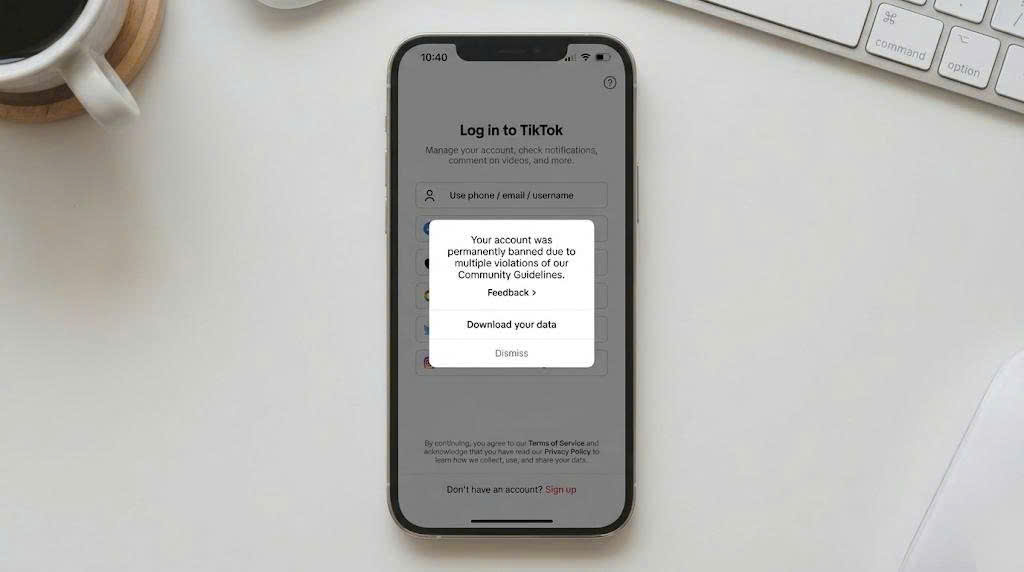
If your account has previously violated Community Guidelines, some features may be restricted, including long video uploads
-
Cache issues: Accumulated cache can make the app unstable and cause certain features to not display or work correctly
Overall, most of these issues can be fixed easily once you identify the root cause. By checking each factor carefully, you can improve your chances of successfully uploading long TikTok videos and avoid repeating the same problems in the future.
Tips to Make Long TikTok Videos Go Viral and Increase Views
Uploading a long video is just the first step. Keeping viewers engaged and getting your video recommended is what truly matters. With videos longer than 3 minutes, you need to optimize your content more carefully to prevent viewers from dropping off early. Here are key tips to help your videos perform better:
-
Hook viewers in the first 3 seconds: Start with a compelling question, surprising moment, or strong statement to grab attention
-
Structure your content clearly: Break your video into an introduction, main content, and conclusion so it’s easy to follow
-
Keep the pacing fast and engaging: Avoid unnecessary parts and use smart cuts to maintain viewer interest
-
Add subtitles and on-screen text: Help viewers understand your content even without sound
-
Use relevant hashtags and captions: Make it easier for your video to reach the right audience
-
Post at the right time: Choose time slots when your audience is most active
-
Engage with your audience: Reply to comments, pin important ones, or create response videos to boost interaction
Overall, long videos can still go viral if you optimize the viewer experience well. The longer people watch your content, the higher the chance TikTok will recommend it to more users.
Conclusion
Posting TikTok videos longer than 3 minutes in 2026 is no longer difficult if you understand the platform’s limits, meet the required conditions, and apply the right uploading methods. From using mobile and desktop to optimizing your video before posting, each step plays an important role in ensuring your content is successfully uploaded and reaches more viewers. More importantly, content remains the key factor - a long video only performs well if it can keep viewers engaged and deliver value throughout its duration. If you want better results, start applying these methods and tips today, and don’t forget to follow our website for more TikTok strategies to grow your views and build your channel faster.