Cross-posting videos from TikTok to Instagram may seem simple, but it directly impacts your views and engagement. Many creators experience low reach, poor performance, or fail to reach the right audience. The issue often isn’t the content itself, but how the video is shared and optimized for each platform. This article highlights key strategies to help you share TikTok videos to Instagram more effectively, from removing watermarks and choosing the right format to optimizing captions and understanding the algorithm for better growth.
Why Should You Share TikTok to Instagram?
Have you ever had a TikTok video go viral, but when you repost it on Instagram, it gets little to no views? This is a common issue many creators face when they don’t fully understand how to leverage content across multiple platforms.
In reality, sharing TikTok videos to Instagram isn’t just about reposting content - it’s a way to expand your audience and maximize the value of each video you create. When done right, you can make the most out of every piece of content.
Here are a few reasons why you should start cross-posting TikTok to Instagram:
-
Reach more people: TikTok helps you go viral, while Instagram helps you build a loyal audience
-
Boost reach and engagement: One video can perform well on both platforms if optimized properly
-
Maximize content efficiency: No need to constantly create new videos while maintaining a consistent posting schedule
-
Grow across platforms: Build a stronger personal brand or content channel
So how can you share TikTok to Instagram quickly while still maintaining performance? Let’s explore the best methods below.
In reality, sharing TikTok videos to Instagram isn’t just about reposting content
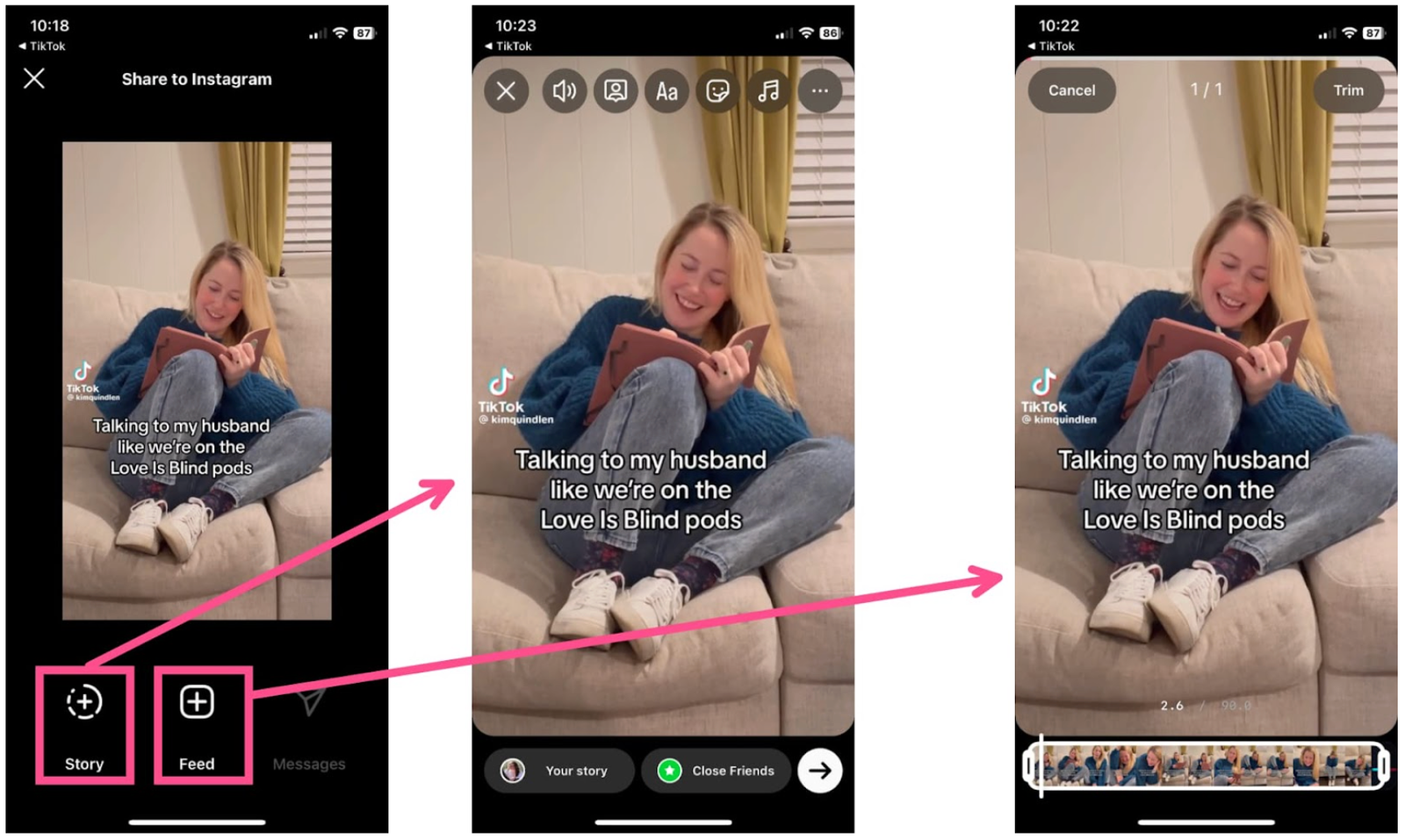
How To Share TikTok To Instagram Instantly
Sharing TikTok videos to Instagram isn’t as complicated as many people think. With just a few simple steps, you can repost your videos to Instagram in seconds while still maintaining quality and engagement.
Currently, there are two common ways to do this: manually or by using supporting tools. Each method has its own advantages, depending on your needs - from quick and simple posting to more advanced optimization for better reach and engagement.
Below are the specific methods to help you choose the one that suits you best.
Manual Method Reposting TikTok Videos
If you just want to quickly repost a TikTok video to Instagram without using any additional tools, the manual method is the simplest option. This approach is suitable for those who don’t require high optimization or only need to repost videos occasionally.
To do this, you just need to:
-
Open the TikTok video you want to share
-
Tap the Share button
-
Select Save video to download it to your device
-
Open Instagram and upload the video as a Reel
This method is fast, easy, and doesn’t require installing any extra apps. However, videos downloaded directly from TikTok will always include a watermark (logo and username), which can affect performance on Instagram.
For that reason, this method is best when you need a quick repost and don’t mind the watermark. If you want your videos to look more professional and perform better, you should consider the other methods below.
How to Remove Watermarks for Better Instagram Performance
If you want your videos to look more professional on Instagram and avoid the negative impact of watermarks, using a supporting tool is the best option. This method is still simple to follow, but it can significantly improve your video’s visibility and overall engagement on Instagram.
To get started, you can follow these steps:
-
Open the TikTok video you want to share and copy its link
-
Visit a video downloader website such as SnapTik
-
Paste the link into the tool and download the watermark-free version
-
Upload the video to Instagram as a Reel
The biggest advantage of this method is that your video will be clean and free of the TikTok logo or username. This makes it look native to Instagram, which can help the algorithm treat your content more favorably. As a result, your video has a better chance of reaching a wider audience and generating higher engagement.
Another benefit is that watermark-free videos provide a better viewing experience. Your audience won’t be distracted by moving logos, making your content feel more polished and professional, especially important if you’re building a personal brand or content channel.
However, this approach still requires manual effort. You need to copy the link, download the video, and upload it again each time you want to cross-post. While it’s more effective than the basic method, it can become time-consuming if you post frequently.
For creators who want a faster and more efficient workflow, especially when posting multiple videos per day, automated solutions may be a better option - which we’ll explore in the next section.
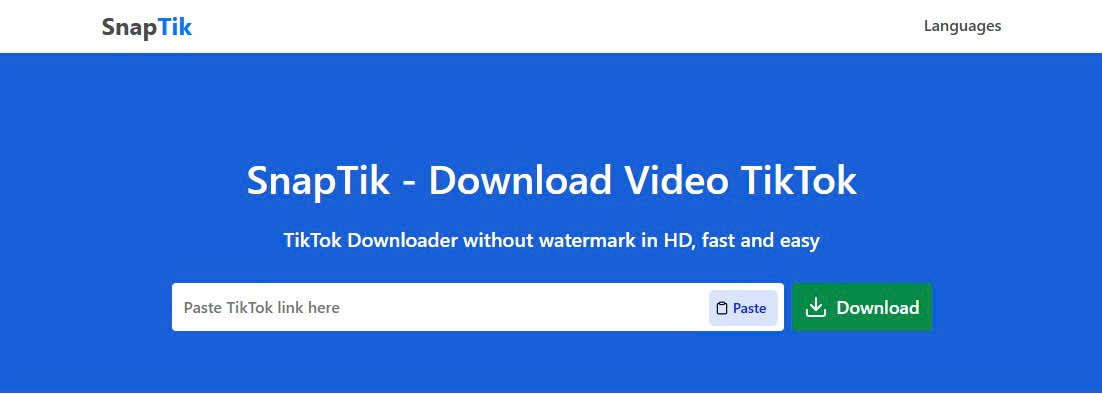
Use SnapTik Tool to Remove Watermarks for Better Instagram Performance
Automating Your Workflow for Faster Cross-Posting
If you’re looking for the fastest and most efficient way to share TikTok videos to Instagram, automation is a solution worth considering. Instead of manually downloading and reposting videos every time, you can use tools that automatically publish your TikTok content to Instagram after a simple setup.
Today, platforms like PostOnce allow you to connect your TikTok and Instagram accounts, enabling seamless cross-posting without repetitive manual steps. This is especially useful for creators who post frequently or want to streamline their workflow.
The automated process typically works like this:
-
Connect your TikTok and Instagram accounts to the tool
-
Allow the system to access your TikTok videos
-
Set preferences such as format, captions, or posting schedule
-
Your videos will be automatically published to Instagram
The biggest advantage of this method is time efficiency and consistency. You don’t have to worry about manually uploading each video or missing your posting schedule. In addition, some tools help optimize formatting and posting times, which can improve your content performance on Instagram.
However, this method is more suitable for creators who post regularly or manage content professionally. If you only post occasionally, manual or basic tool-based methods may still be sufficient.
Tips to Optimize Videos When Sharing TikTok to Instagram
Simply reposting your TikTok videos to Instagram isn’t enough to achieve good results. Without proper optimization, your videos may experience lower reach, reduced engagement, or fail to connect with the right audience.
To improve performance on Instagram, you need to adjust key elements such as video format, audio, and captions. Even small changes can make a big difference in views and engagement.
Here are some important tips you shouldn’t ignore:
Optimize Video Format
Instagram Reels prioritizes vertical videos with a 9:16 aspect ratio, which is the same as TikTok. However, if you plan to post on your Feed, Instagram performs better with 1:1 or 4:5 formats.
Make sure your main content stays centered to avoid being cropped when reposting.
Adjust Audio Properly
Audio from TikTok doesn’t always work on Instagram due to copyright restrictions.
The best approach is to:
-
Remove the original audio when downloading the video
-
Choose music from Instagram’s built-in library when posting
This not only helps you avoid copyright issues but also allows you to use trending sounds on Reels.
Optimize Captions & Hashtags
Avoid copying captions directly from TikTok to Instagram.
Instead:
-
Rewrite captions to match Instagram’s audience
-
Add clear calls to action (follow, comment, save)
-
Use niche hashtags instead of broad trending ones
This helps your content reach the right audience and improve engagement.

Optimize before posting to Instagram.
Common Mistakes That Hurt Your Video Performance
Many creators struggle with low views and engagement after reposting TikTok videos, and the main reason often comes from avoidable mistakes during the sharing process.
To prevent your videos from underperforming, make sure you avoid these common issues:
-
Posting videos with watermark: Instagram may limit reach if your content clearly comes from another platform
-
Using the wrong format: Videos that aren’t optimized (wrong ratio or cropped) can reduce viewer retention
-
Copying captions directly: TikTok-style captions may not resonate well with Instagram users
-
Ignoring audio differences: Using unlicensed TikTok sounds can lead to muted or removed videos
-
Posting at the wrong time: Uploading at low-activity hours can significantly affect performance
Avoiding these mistakes will help your videos perform better and increase your chances of reaching a wider audience on Instagram.
Conclusion
Sharing TikTok videos to Instagram is a simple but powerful way to expand your reach and maximize the value of your content. Instead of creating new videos from scratch, you can reuse existing content and still achieve strong performance if you apply the right methods. Whether you choose to share manually, use tools to remove watermarks, or automate the entire process, each approach has its own benefits depending on your needs. The key is to optimize your videos properly for Instagram to avoid common mistakes and improve engagement. By combining the right strategy with consistent posting, you can turn one TikTok video into multiple opportunities for growth across platforms. Ready to take your content further? Start applying these methods today and see how your TikTok videos perform on Instagram